Using Placeholders

Placeholders are handy for when you know you need to fill a requirement, but you’re not sure yet which specific course you want to take. You can hold a spot in your term for the requirement you want and choose between available courses later. Placeholders are used when creating your student plan.

Working with Placeholders

Adding Placeholders to Your Plan

Exploring Course Options

Converting Placeholders to Courses

Important Considerations

Best Practices


Working with Placeholders

Placeholders appear with a dotted outline in your plan (compared to regular courses with solid lines)
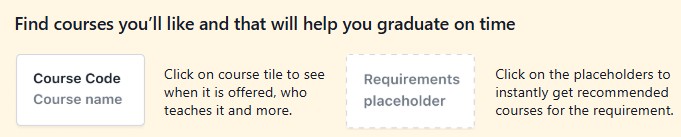
banner showing course search tips, with boxes for “Course Code/Course name” and a “Requirements placeholder” used to get course recommendations.


Adding Placeholders to Your Plan 

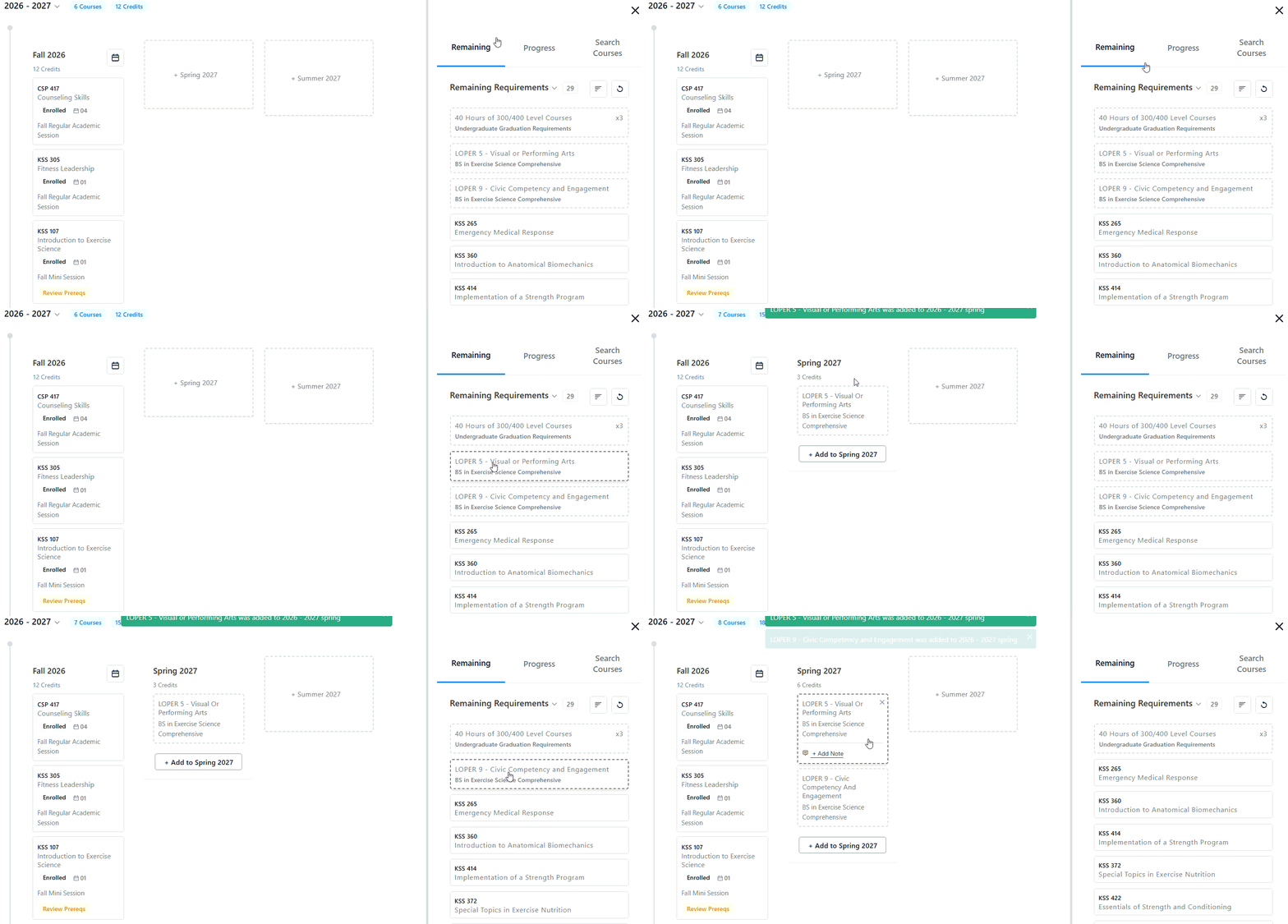
  1. From the Remaining or Progress tabs, locate the requirement you want to put onto your tentative schedule.
  2. Click and drag the requirement directly to the term you want.
  3. Release to create a placeholder in that term.

Course planning dashboard showing Fall 2026 enrolled courses on the left and remaining graduation requirements with suggested courses on the right.


Exploring Course Options

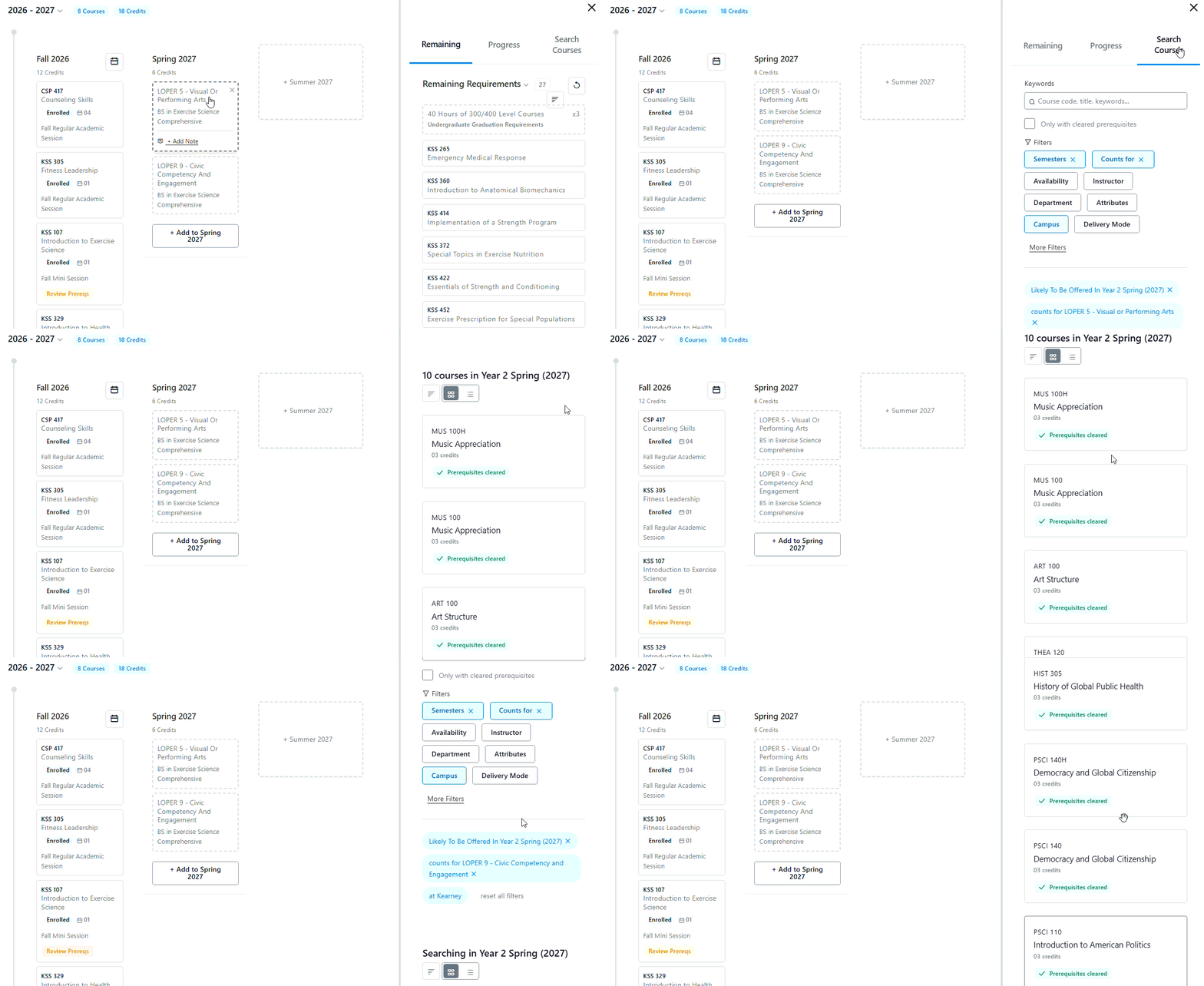
  1. Click on any placeholder to display all courses that would fulfill that requirement
  2. Review the available courses in the sidebar
  3. Compare options to find the best fit for your plan

Course planning dashboard showing Fall 2026 and Spring 2027 schedules with enrolled courses and a sidebar of remaining graduation requirements and searchable courses.


Converting Placeholders to Courses

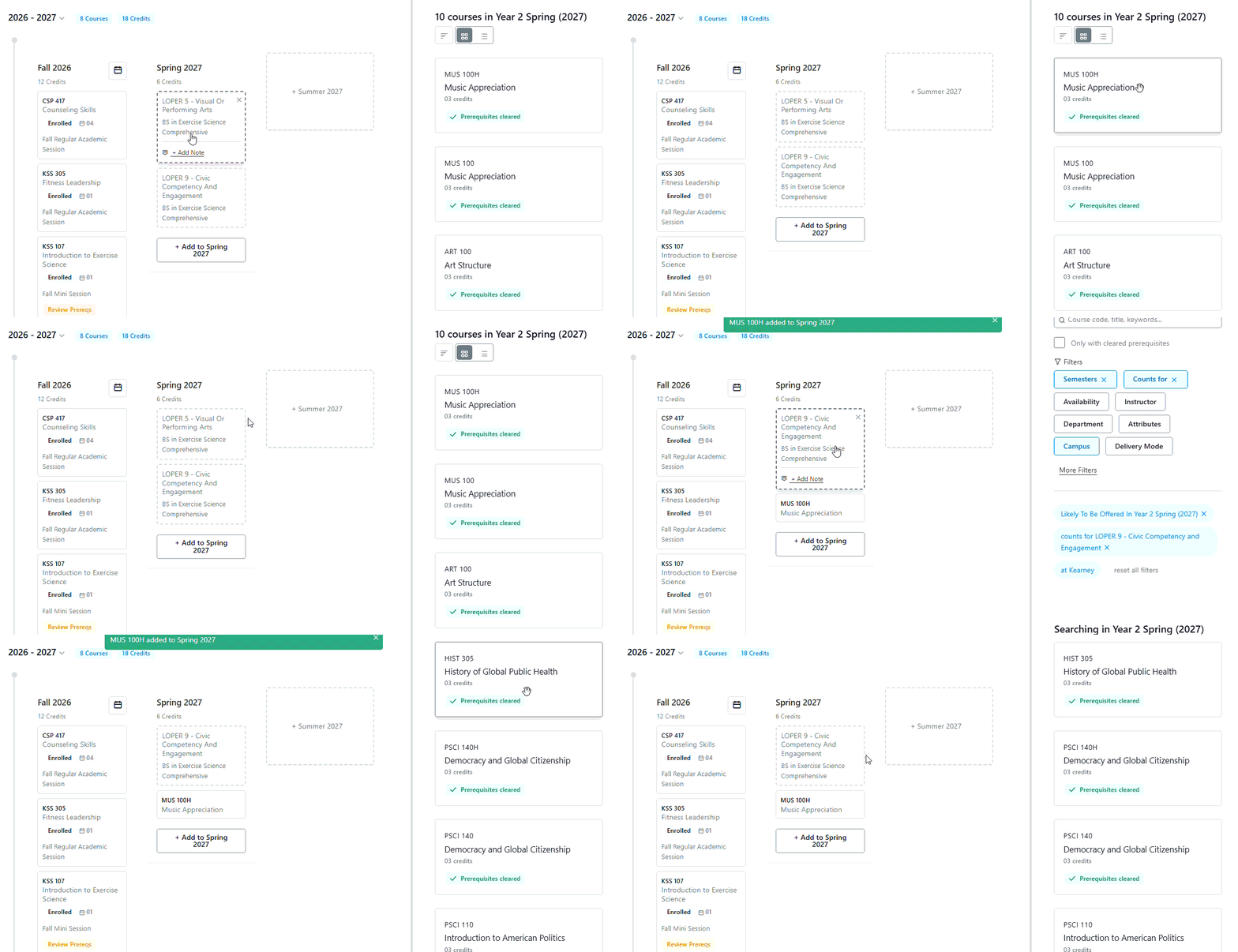
  1. Choose a specific course from the options in the sidebar
  2. Drag your selected course into your plan to replace the placeholder
  3. The course will now display with a solid line, indicating it's no longer a placeholder 
Course plan showing Fall 2026 and Spring 2027 term schedules with enrolled courses and a sidebar list of available courses with prerequisites cleared.

Important Considerations

Placeholders have limitations:

  • They cannot provide prerequisite information
  • They don't guarantee course availability in the planned term
  • Always check actual course offerings when converting placeholders to ensure the courses are available in your chosen term

Best Practices

  • Use placeholders for long-term planning when specific course details aren't critical yet
  • Convert placeholders to actual courses as your term approaches and course schedules become available
  • Always verify prerequisites and term availability when finalizing your selections