| Viewing Program Requirements | Program Requirements & Order | Program Requirement Details |
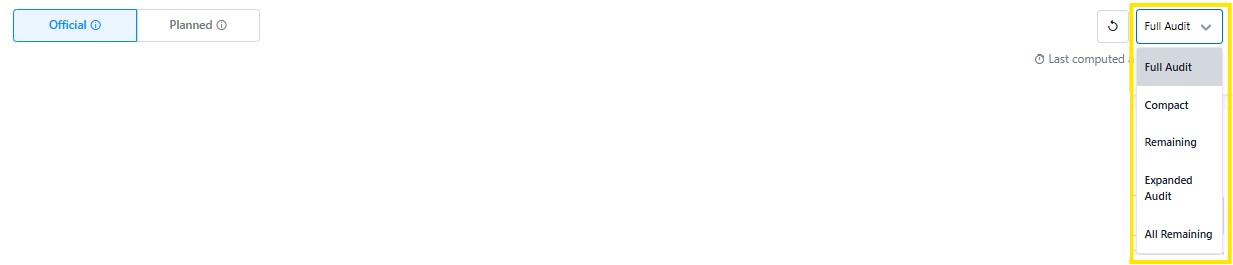
Your degree audit can be viewed in a variety of ways. On the right-hand side of the audit version section, the following viewing options are available: Audit in Full, Compact, Remaining, Expanded, All Remaining.
Tip: To review remaining requirements that include program and institutional requirements, select the "Remaining" audit view. This is only available in the official degree audit. Requirements outlined with dashed lines have multiple courses that could fulfill the requirement (also known as placeholders) and requirements outlined with a solid line have a specific course that fulfills that requirement.
Stellic organizes your requirements into groups and implements a nested format to group and view requirements. The primary requirement is called the “parent” requirement and it cannot be fulfilled unless all "child” or sub-requirements are fulfilled.
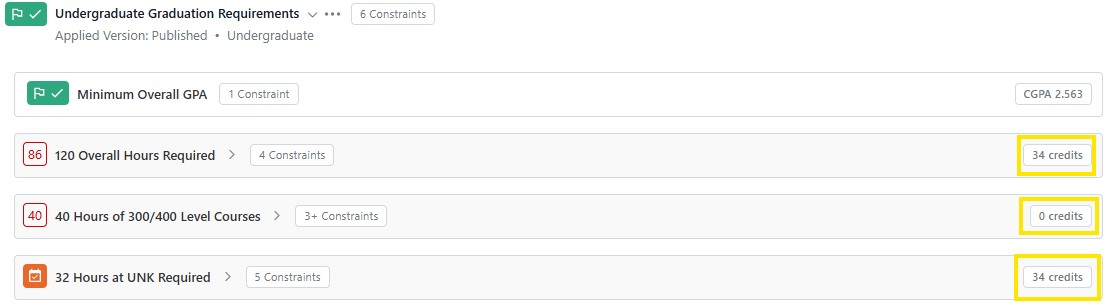
The order of requirements in the audit begins with UNK's Institutional requirements. For Undergraduate students this includes: 2.0 Minimum Overall GPA, 120 Overall hours, 40 hours of Upper Division Level Courses (300/400) and 32 hours at UNK.
These requirements must be completed by all undergraduate students. The number of credits remaining will be shown in a red box on the left, the number of credits completed will show in white on the right of the requirement.
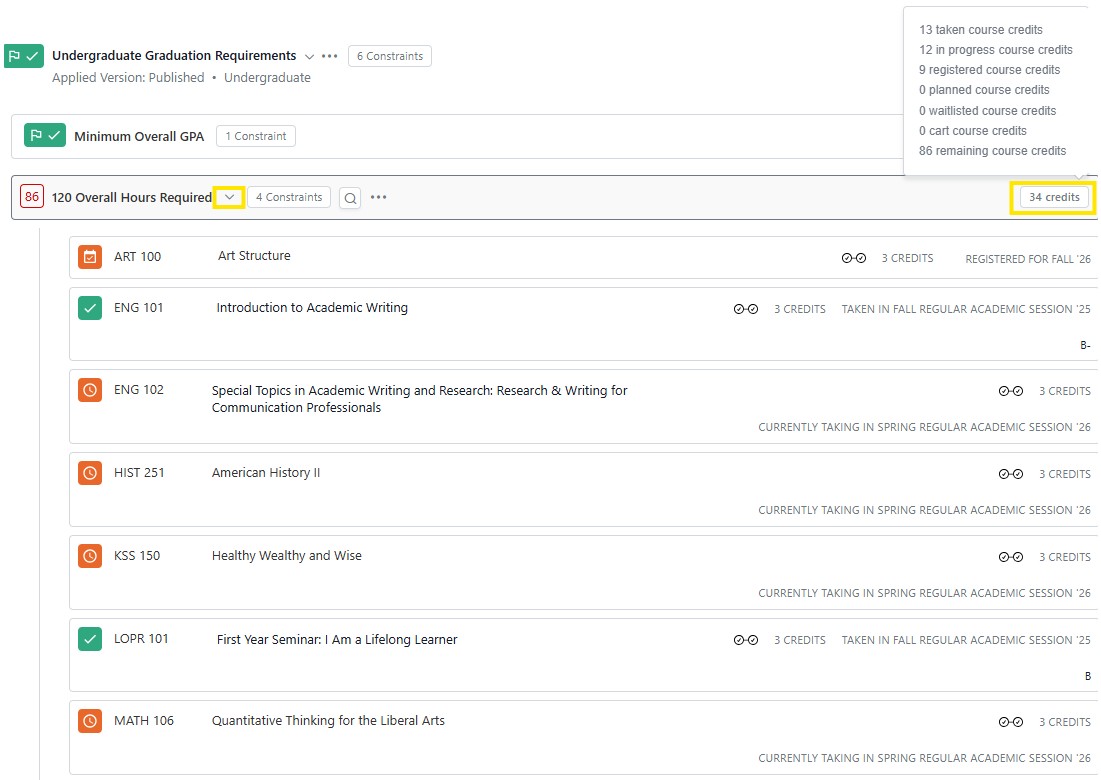
Tip:To view all the courses applying to a requirement click on the > icon next to the requirement heading and the courses applying to the parent requirement will be displayed. Also clicking on the total credits, a box will display which of the courses being applied to the requirement have been taken, in progress and registered for.
The next group of requirements are specific to your College where primary program is housed. The undergraduate college specific requirement include the experiential learning all undergraduate students are required to complete.
Students graduating from the College of Arts and Sciences are required to complete 1 credit of experiential learning coursework, College of Business and Technology or College of Education are required to complete 3 credits of experiential learning.
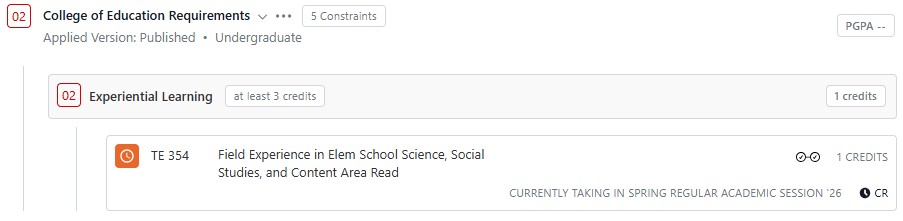
This group of requirements are in order of primary major, second major, minors, and unmatched courses.
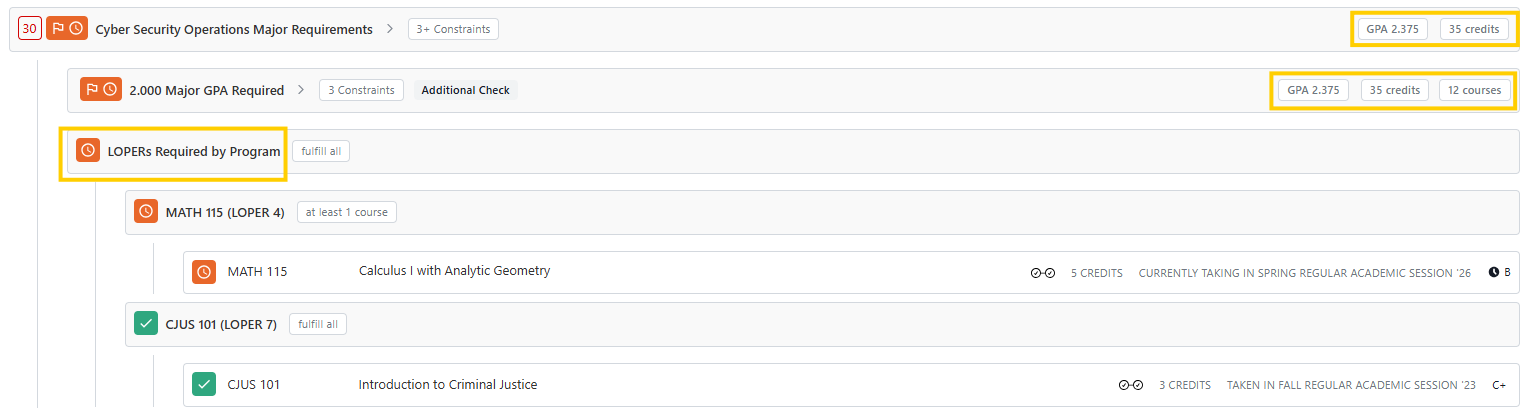
In your primary program, the first set of requirements displayed are the LOPERs General Education courses. In the following example, it may initially look like LOPERs 4 and 7 are missing from the list. However, in the Cyber Security BS major, it is listed in the major section and is not duplicated in the LOPERs General Education below.
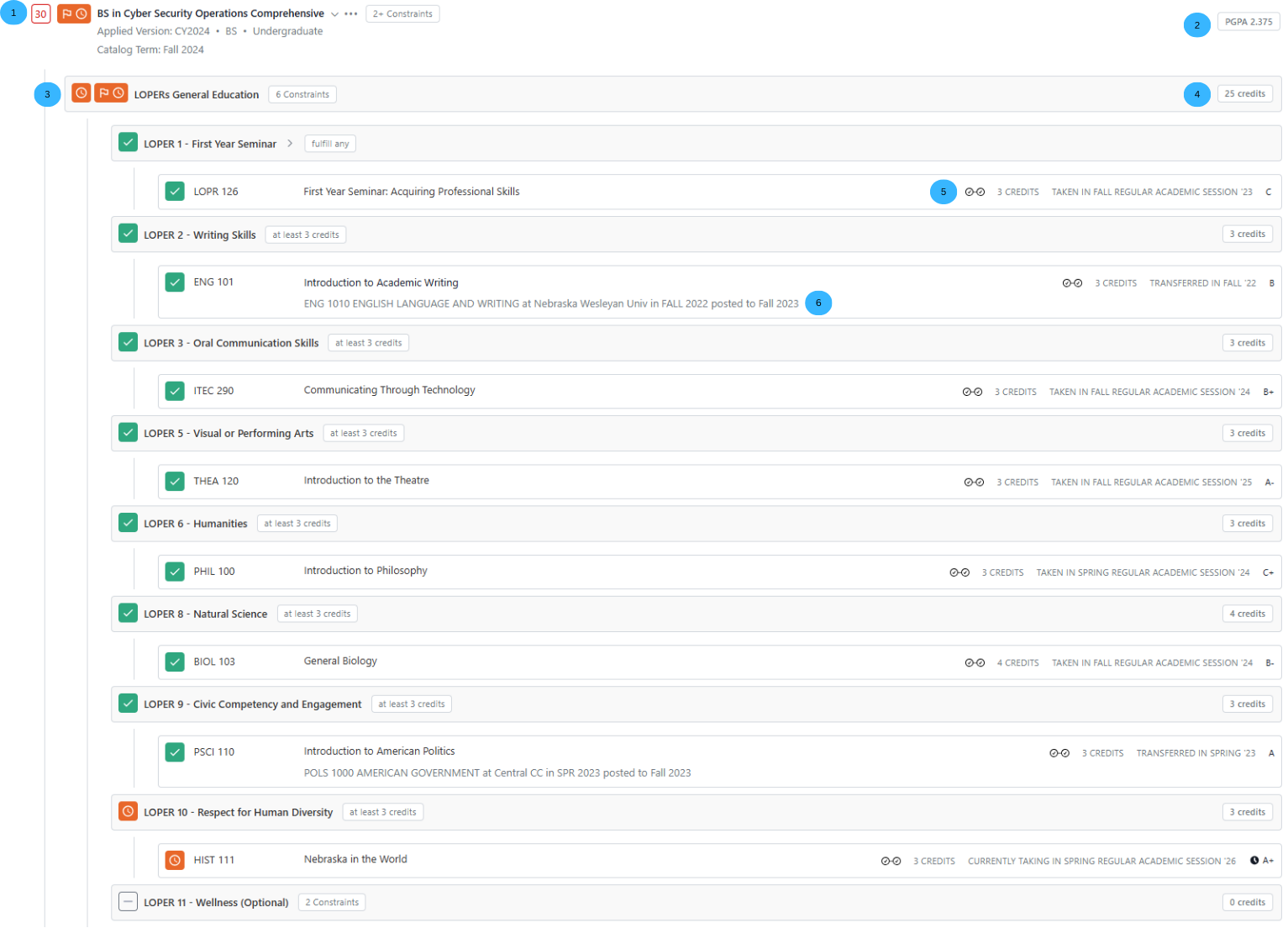
Legend: 1. Remaining credit hours in the program. 2. Program GPA 3. In progress Loper requirement & Milestone 4.Credits being applied, Note that LOPERs 4 & 7 are not being counted in this section but in the "LOPERs Required by Program" 5. Courses being applied to multiple requirements, indicated by the double check icon. 6. Transfer course example.
LOPERs Required by Program, LOPERs 4 and 7 are placed in the Program section of the audit instead of the LOPERs General Education section.