You can add any type of non-course activity to your degree plan in a number of ways.
Option 1:
Navigate to your Student Plan From either the Plan your Path tab on the left navigation menu or the Plans tab located in your Student Profile above your degree audit.
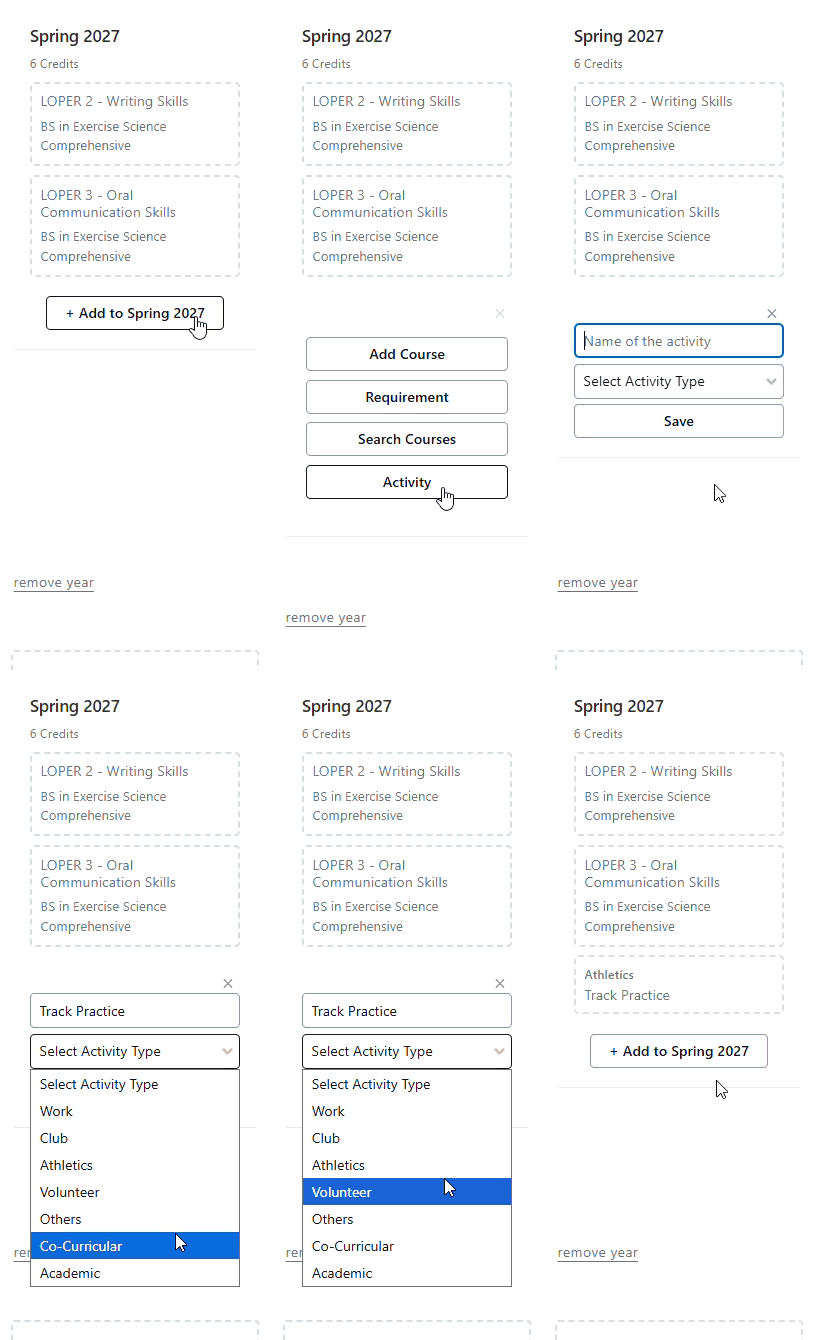
Select the semester you are planning, click the "+ Add to Term" button at the bottom of the term. Select the "Activity" option, then add the name of the activity and select the activity type.
Option 2:
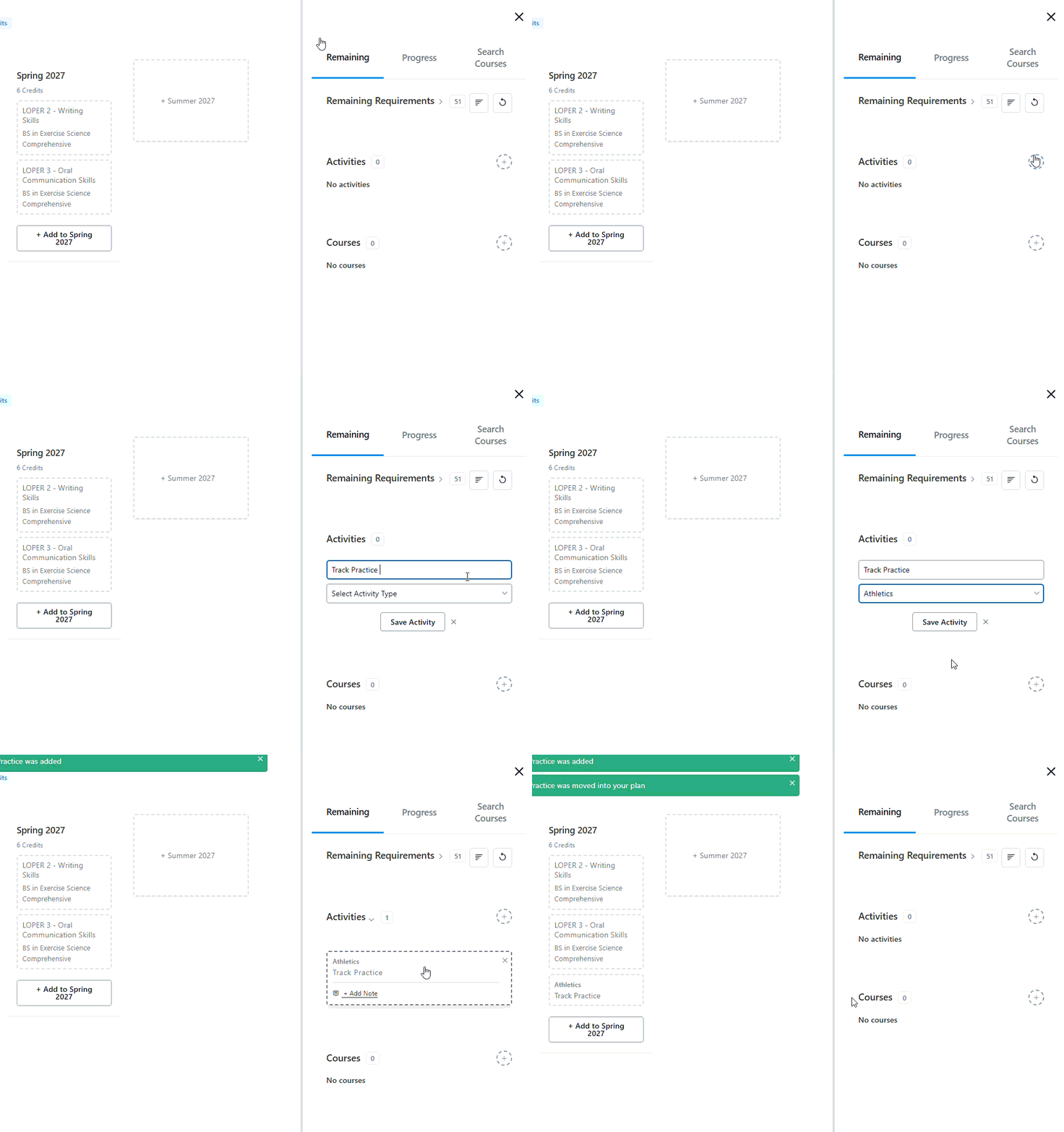
In addition to placing activities in your student plan, you can add an activity to your term schedule. To access your term schedule, you can select the active term from the left hand sidebar, or click on the calendar icon from your planner view.
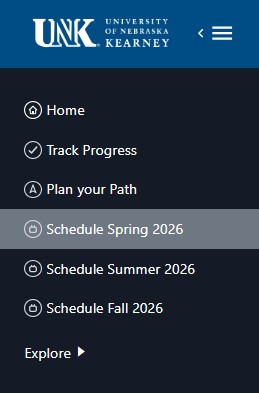 or
or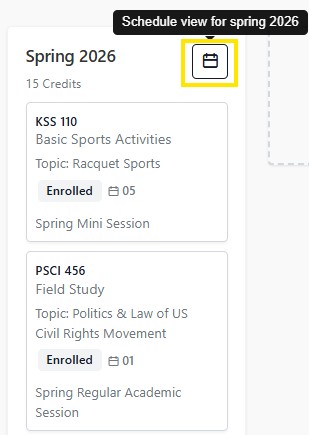
To add a new activity, click on "+ Add Activity" button in the right sidebar. 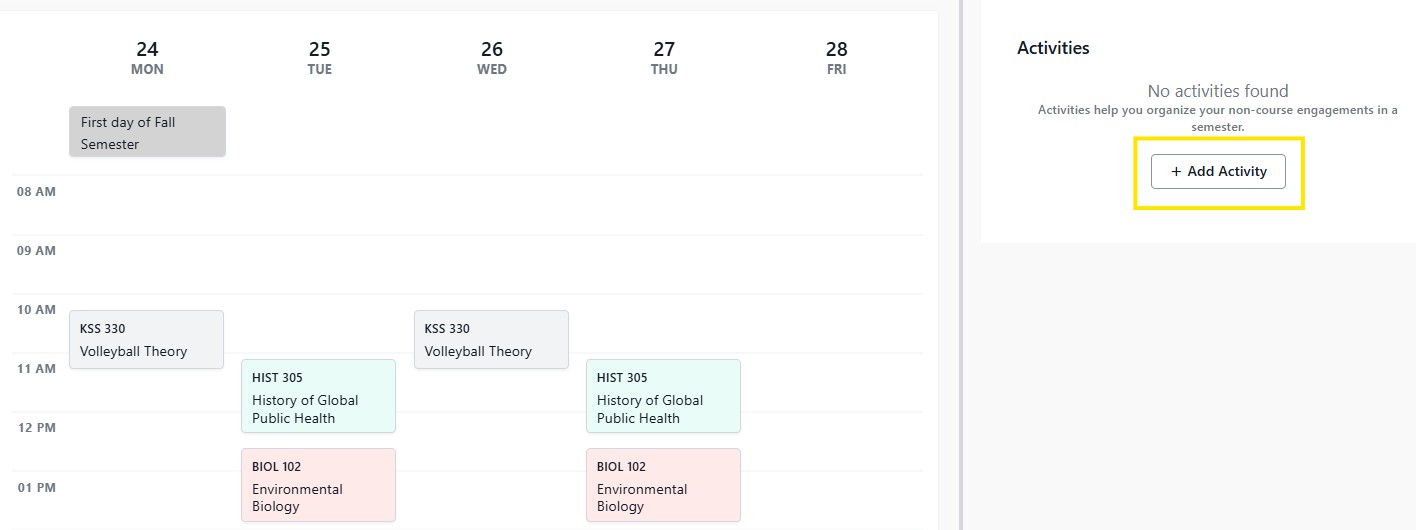
You can input the name, type, and time of the activity, which will then appear in your schedule. You can also add day/time details to any activities that you placed in this term from the planner.
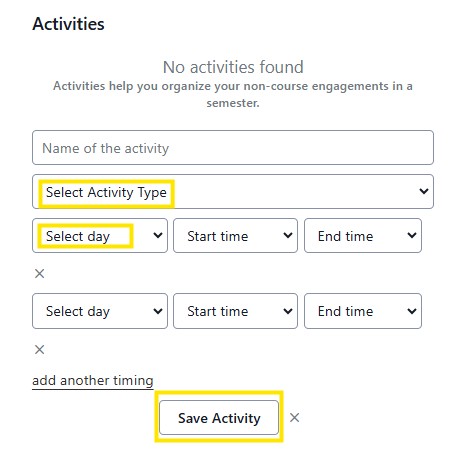 Adding activities can be particularly powerful in schedule planning for future terms if you know of non-class commitments prior to creating your schedule, as you can add the activity as a reminder to yourself and then search the time blocks surrounding it.