Stellic uses student "Tags" as a way to identify student demographic information. Tags are assigned to students based off of student group data from MyBlue. Tags are commonly used in the search filters for creating reports and locating degree audit requirements.
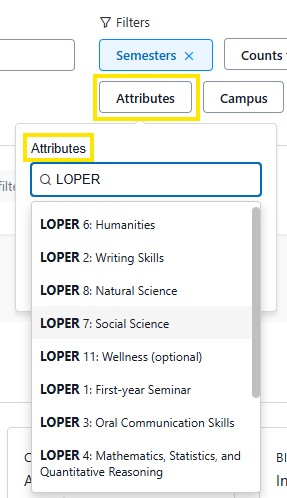
Attributes are similar to tags, but instead of student information, attributes identify course information.
When on the Students search in Stellic, the student tags search is located within the Demographics filter.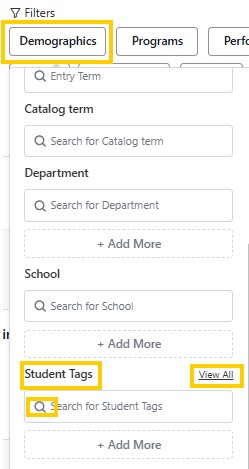
If you know the Student tag you you would like to use, you can type it in the search field. As you type a prepopulated list will appear with options. Tip: Multiple tags can be added in the search.
Example: Honors Student Tag + First Generation Student
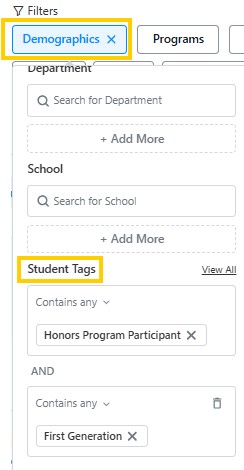
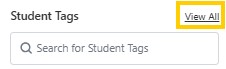
Currently, there are over 200 student tags available. To browse them, click on the "View All" link in the Student Tags field. This will download a spreadsheet with all of the tags.
Another option to browse Student Tags is to click on the magnifying glass. From there a drop down list will appear that can be scrolled through to identify available tags.
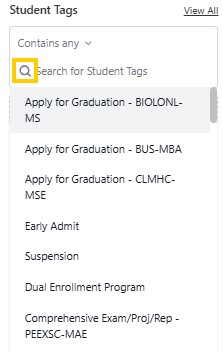
Download the file of current Student Tags
Attributes are defining elements that describe courses, and what requirements they can satisfy in the degree requirement. Common course attributes are: Experiential Learning, LOPER courses, Upper Division, General Studies.
To search courses by attributes, navigate to the Courses page in Stellic and click on the Attributes button. Enter in the specific attribute that is being selected. A populated list of possible selections will appear. To further narrow down the search, options such as Any of these, or All of these, Attributes present in courses, and Attributes present in sections are available.
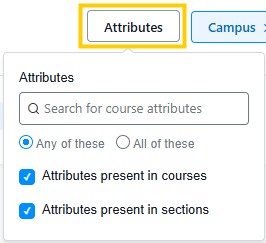
Example: LOPER Courses