Quick links to page topics:
| Summary of Courses | Transfer Courses | Test Scores |
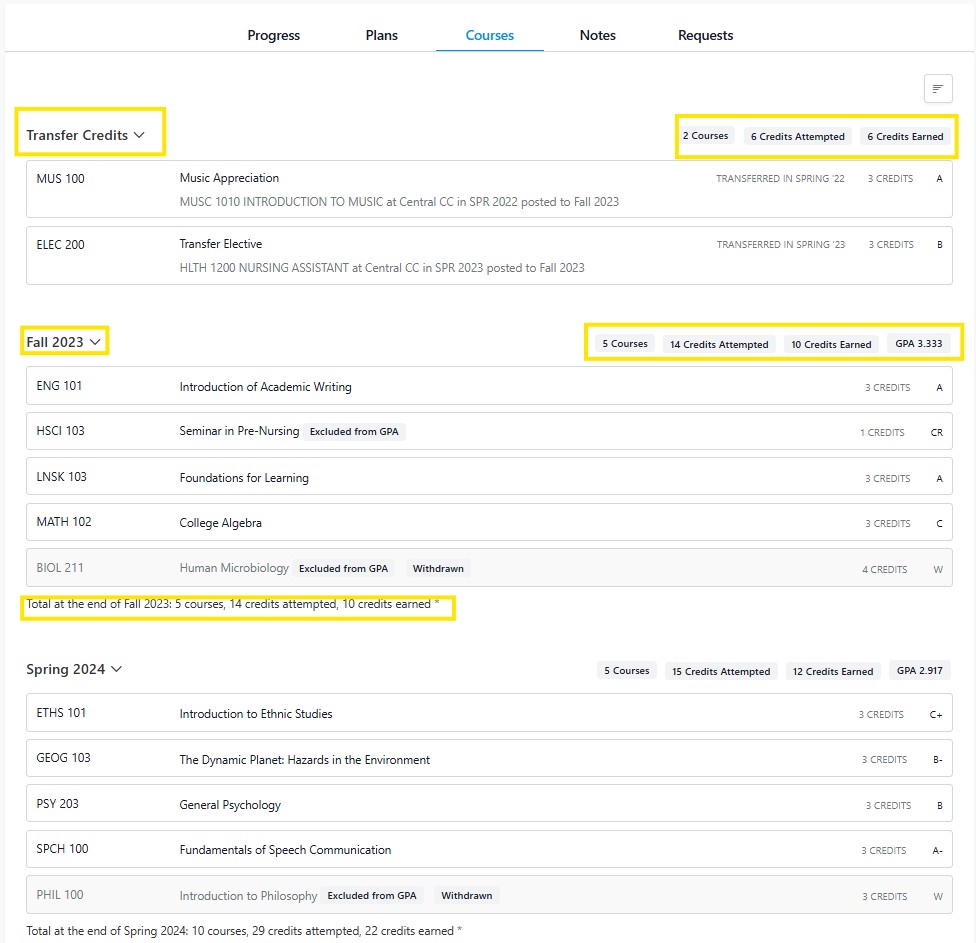
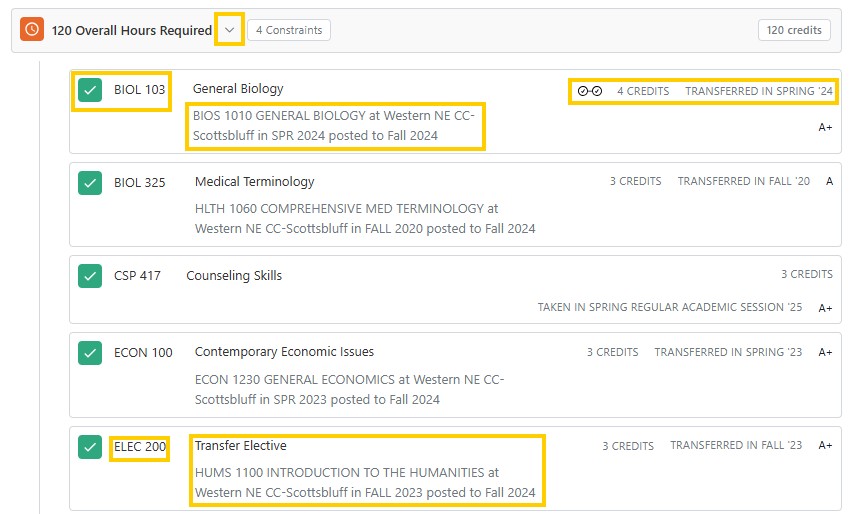
To view a student's summary of courses, navigate to the Courses tab from a Student Profile/Degree Audit. All completed, in progress and transfer coursework is displayed in this page. The order of coursework displayed is transfer credit followed by a semester by semester view of the courses a student has completed. Courses that have been transferred will include information such as the course name and number from that original institution. If the course has a UNK equivalency it will be indicated which UNK course it’s fulfilling. If the course has been transferred without a UNK equivalency, it will be designated as an elective and given its course level 100-400.
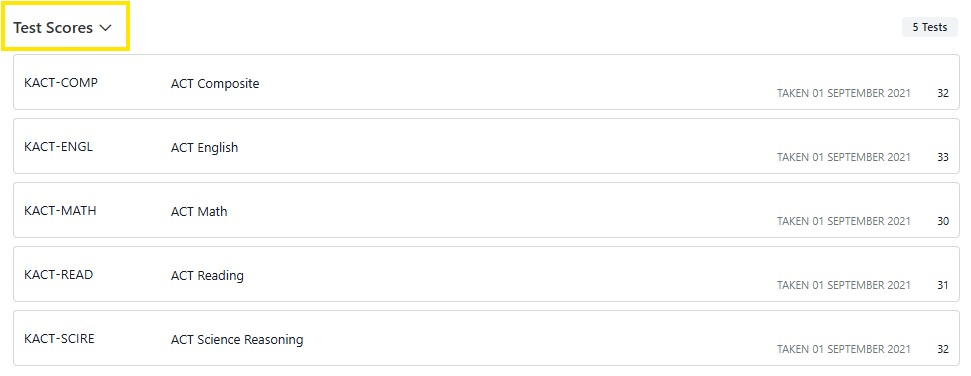
ACT/SAT scores that are available are displayed at the bottom of the Courses page.
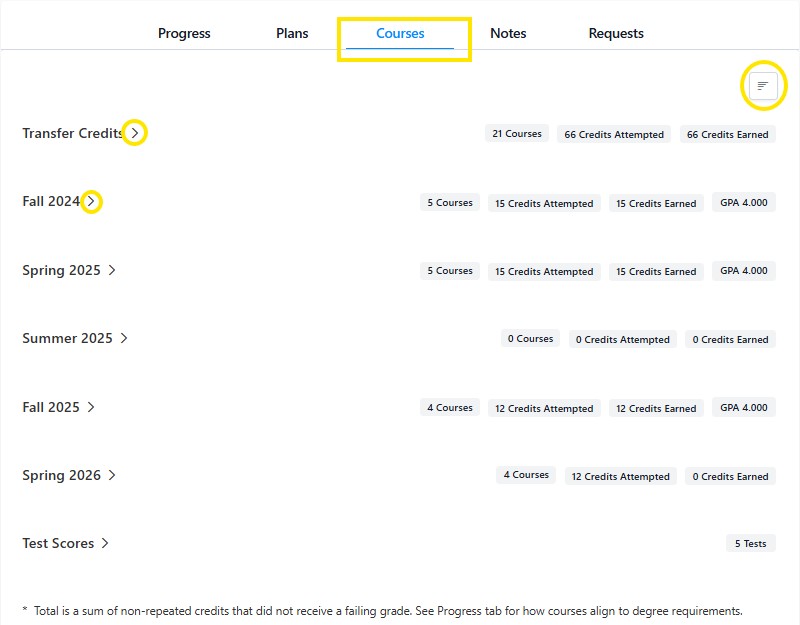
By clicking on the > icon the specific courses completed that term will display. Summary information of courses taken and earned credit is provided at the end of each term.
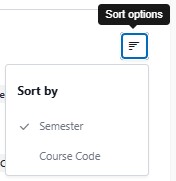
Clicking on the sort option button will allow you to view courses by semester taken or course code.
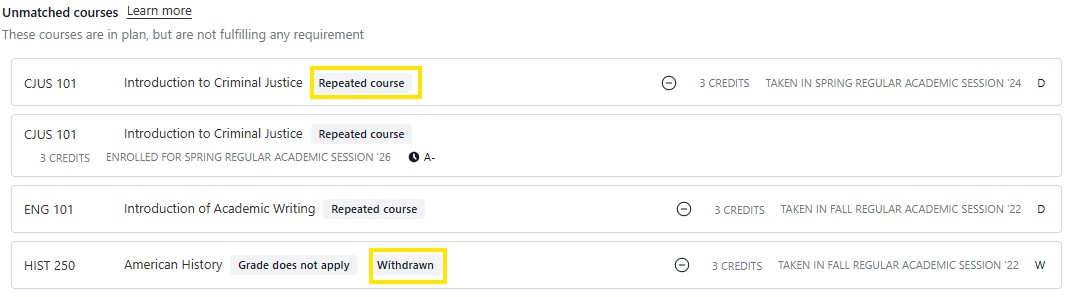
Unmatched courses are taken or completed courses that do not fulfill any requirements. Typically unmatched courses include courses where a student failed or withdrew or repeated and the second attempt was completed with a higher grade. This section can be found at the bottom of a degree audit. Courses that are in progress at a sister institution (UNL or UNO) will display in this section.
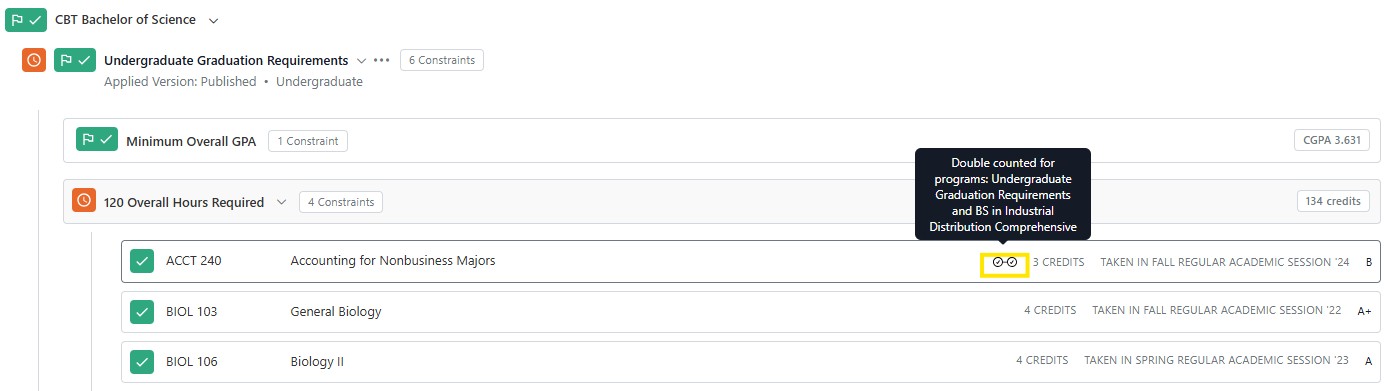
Unrestricted Electives are courses that are not applied to a major or minor, but are applied to other requirements such as the institutional requirements. These can be viewed from the 120 Overall Hours Required Section as there is no section grouping for unrestricted electives.
In the example below, a course that has both green check & double check icon (ACCT 240) is being used to fulfill multiple requirements. Courses with a green box and checkmark (BIOL 103 & 106) are essentially unrestricted electives as they are only being used for 120 overall hours and overall GPA.
Tip: If an advisee needs a course substitution to fulfill a requirement or resolve a duplication issue this is one method to identify potential course substitutes.
You can also see transfer courses from the student’s progress tab, by clicking on the 120 Overall Hours Required will display a drop-down list of all courses a student has completed.
If a UNK student is simultaneously enrolled in a course at UNO or UNL, their course is grouped in the Unmatched Courses section. When the course is completed and loaded to the student’s UNK transcript it then can be found in both the courses tab and within the 120 Overall Hours Required section of the degree audit.
Note: The student will still need to send their transcript following completion of any coursework to be applied to their UNK transcript.
Example of a in progress course from the Unmatched section of the degree audit:
 Example of course viewed from Courses tab. Notice background color which indicates in progress & transfer not yet complete.

ACT & SAT: scores for some students can be viewed at the bottom of the courses tab.