An academic alert is an early support tool designed to help students stay on track academically. It allows instructors, advisors, and support staff to identify when a student may be facing challenges and respond early with encouragement, guidance, and resources. The goal of an academic alert is to connect students with the support they need to strengthen their academic progress and succeed. Learn more about academic advising resources.
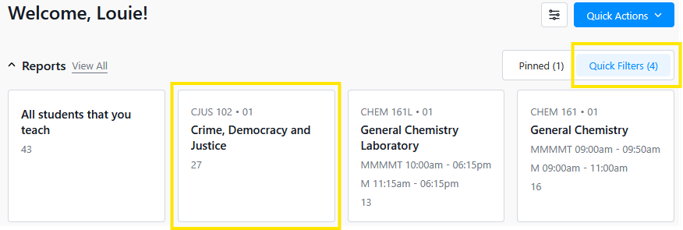
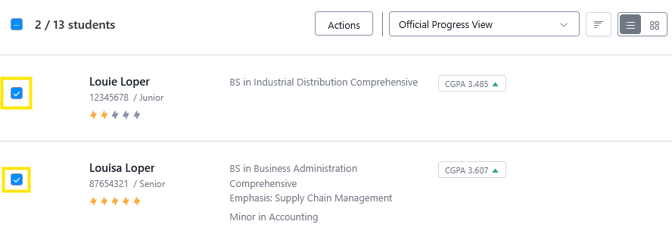
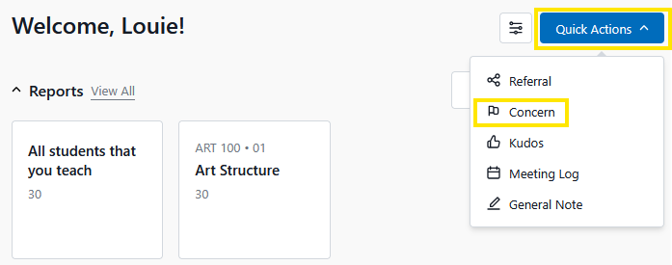
To submit an academic alert for student(s), use the quick filters in Home or the Students tab, then click on the specific course and section to identify the student(s) enrolled.
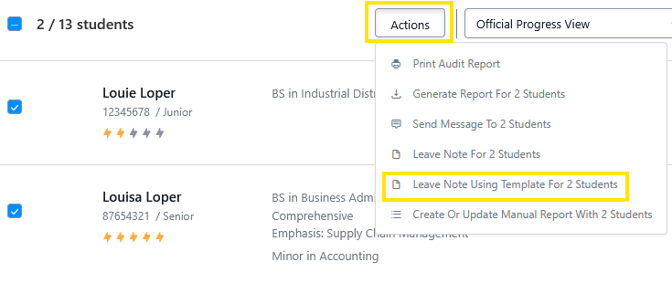
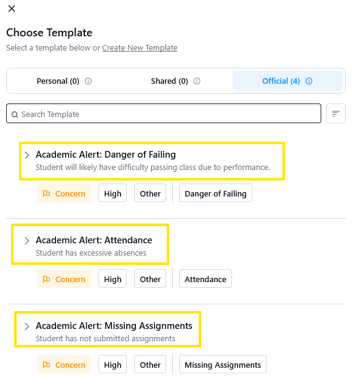
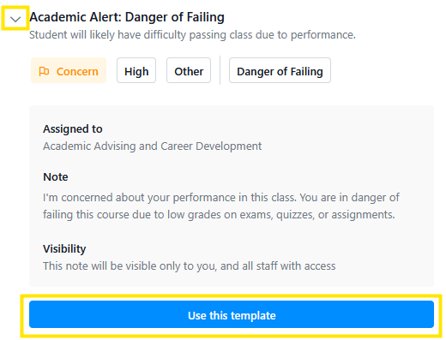
Select “Use This Template” to add any additional information to the note.
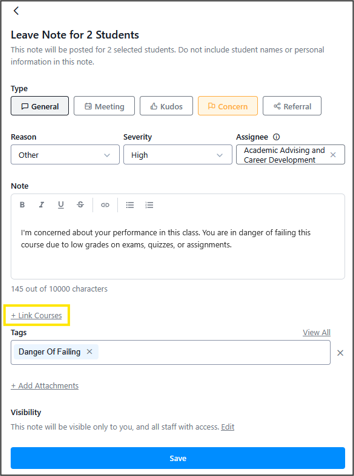
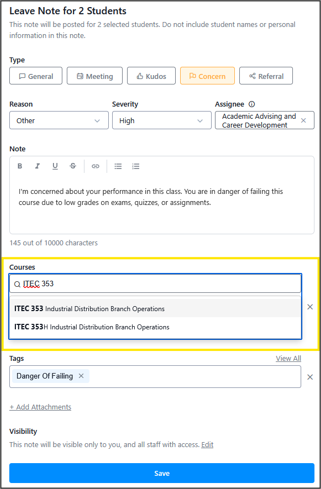
You are done. AACD will communicate with the students. Advisors can find instructions on which of their advisees have academic alerts Learn more about this process.
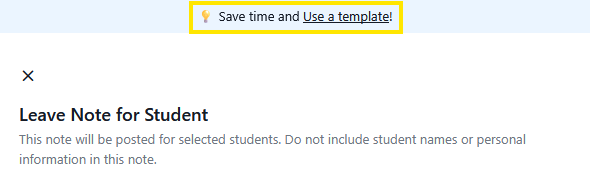
From the blank note, click the “Use a Template!” link at the top of the note form.
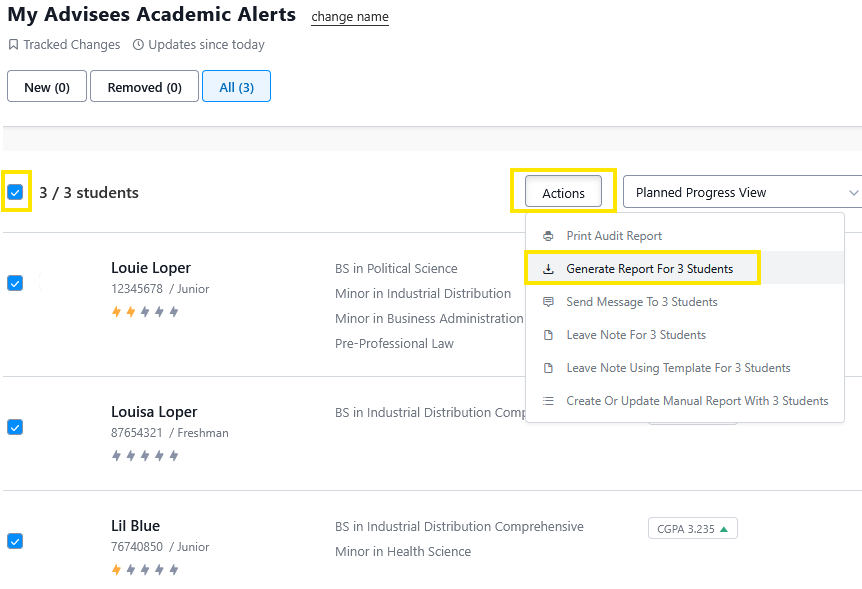
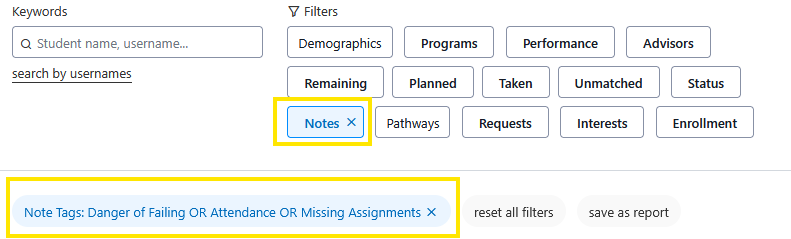
Access this Shared Report: Students assigned a Note Tag of “Danger of Failing OR Attendance OR Missing Assignments”
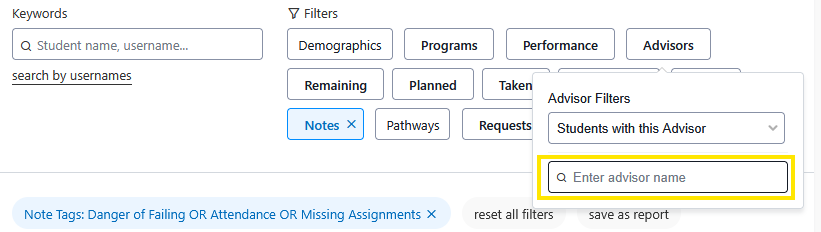
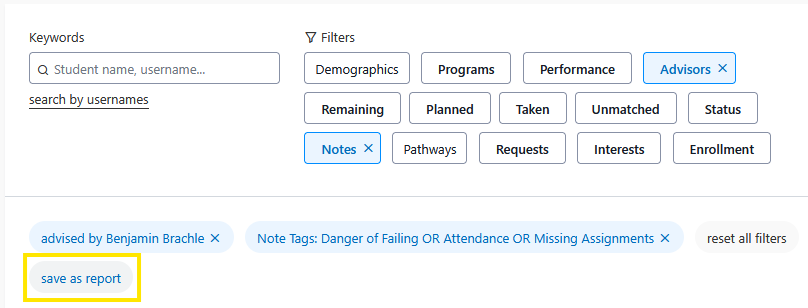
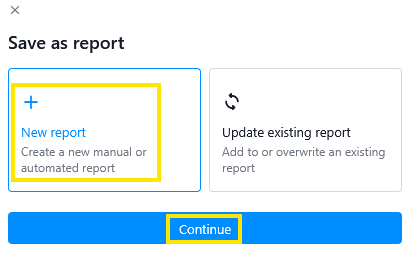
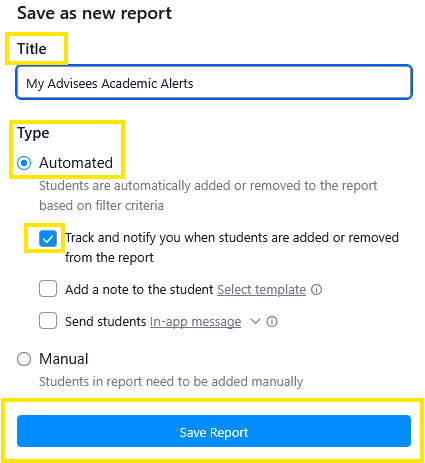
Input a report title, Example “My Advisees Academic Alerts”
Select Automated as the Report type and “Track Changes” to be notified of when an advisee receives an academic alert and save the report.
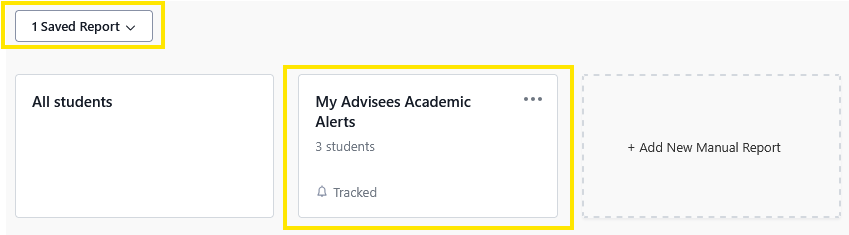
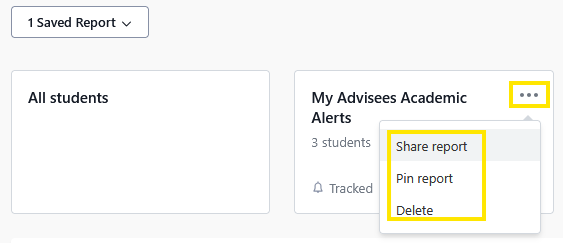
Download the report and export the file as a spreadsheet. If no students appear on the report, none of your students have an academic alert.