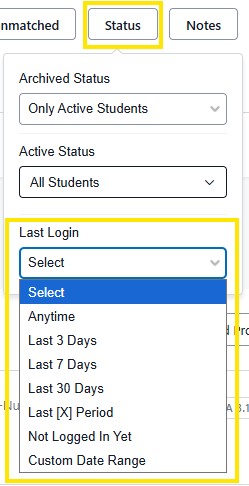
The Status filter is used to adjust search selections based on enrollment status of students, either active or archived.
Active Students are students that are currently enrolled or matriculated.
Archived Students can be students who have graduated and have been archived after one semester following their graduation. Or students who stopped enrolling, become archived once their matriculation has been closed. When a student becomes archived their records will no longer be updated from Peoplesoft (MyBlue). Archived records are in Stellic for 6 months before being removed.
Last Login, An option to view students based on their last login to Stellic.
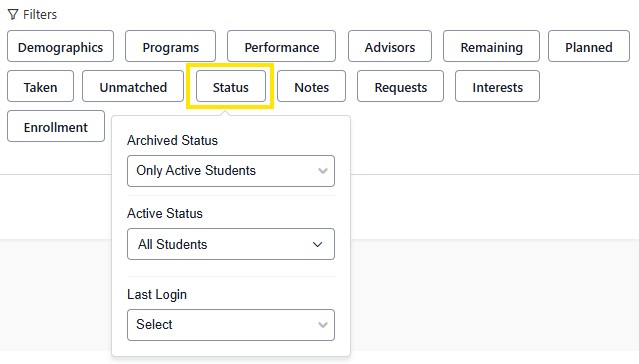
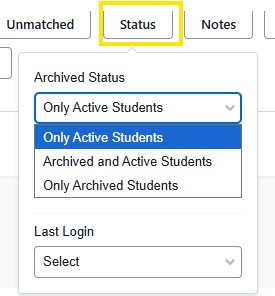
Archived Status: Only Active Students, Only Archived Students, Active And Archived Students
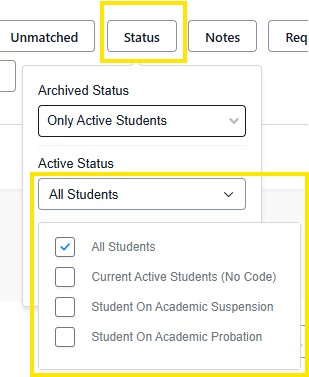
Active Status
Here you can select Current Active Students (No Code) which refers to all current students, admits, recently dismissed and registered within the last two terms. Student On Academic Suspension, Student On Academic Probation.
Last Login
Here, based on active status selected above you can view the last time a student has logged into Stellic.