

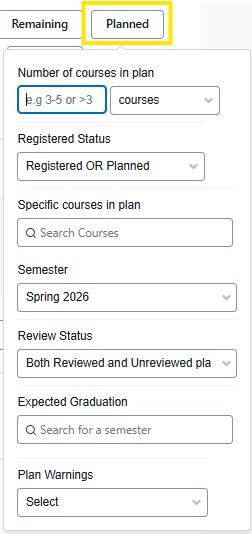
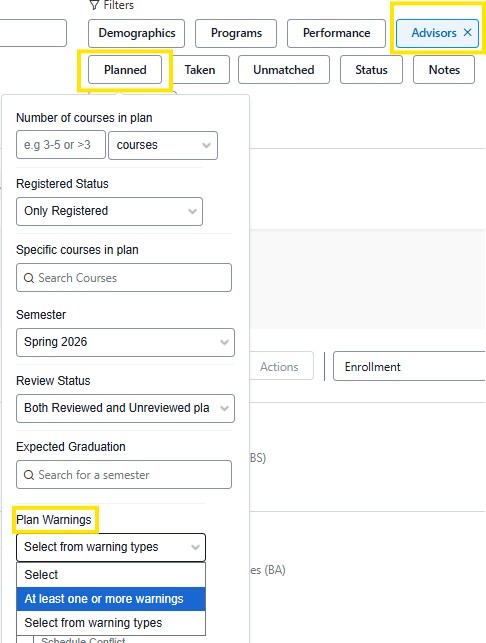
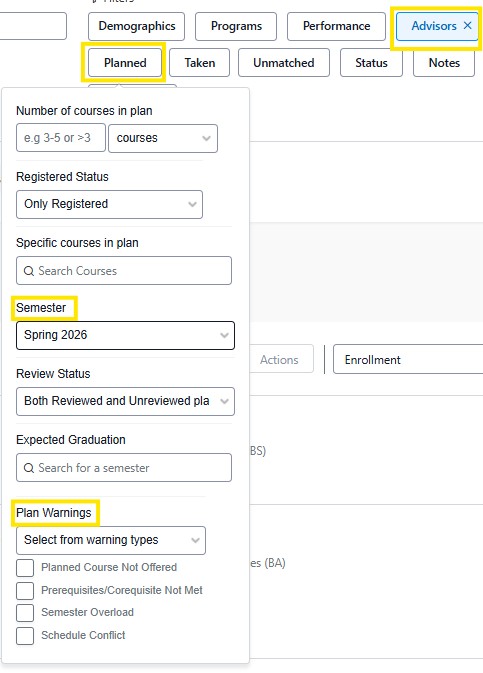
The Planned filter allows advisors to identify students based off of their courses that have been registered or placed in the student plan. To narrow down specific results, a combination of search criteria is best.
Search criteria includes:
Number of courses in plan
Registered Status
Specific Course in Plan
Semester
Review Status: Both Reviewed and Unreviewed Plans * Plan review is not on yet.
Expected Graduation: If the student has applied for graduation.
Plan Warnings:
At least one or more warnings
Warning types
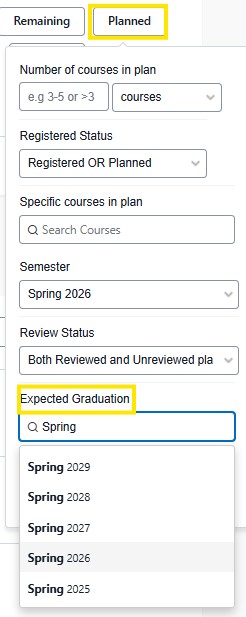
Expected Graduation: Search for students that intend to graduate by entering the specific semester. This includes graduate and undergraduate students.
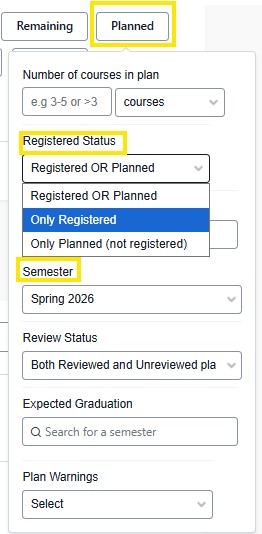
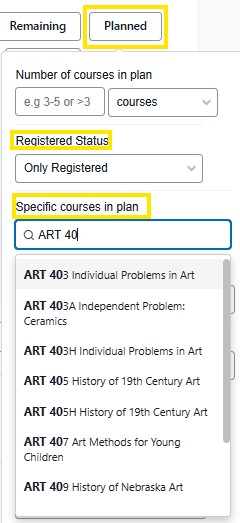
Registered or Planned: To see which students are registered for a course or who have a course placed in their student plan, include the semester, course and registered status. Registered status can include both planned and registered or either.
Plan warnings: To view advisee's that have a plan warning, enter in the advisors name in the Advisor filter, and in the Planned filter select "At least one or more warnings" or Warning types. The semester will default on the current semester.
Tips: The planned filter is useful when seeking data on the number of courses, or credits a student is registered or has planned in a specific semester.
To gauge interest in a course, selecting "only planned" in the registered status and specific course in plan will allow you to see the students who are planning on registering for that course.





