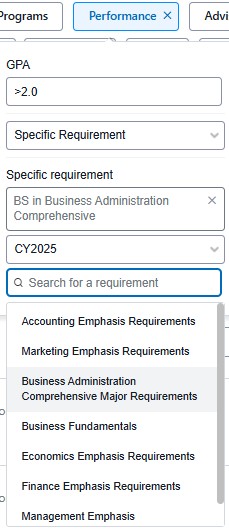
The Performance filter uses Grade Point Averages (GPA) data to identify student groups. The filter allows advisors to search GPA data by the following Criteria: Cumulative, Specific Semester, Specific Program, Specific General Requirement and Specific Requirement.
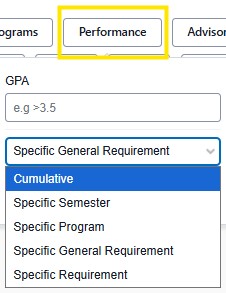
GPA Parameters:
Find students with GPA by:
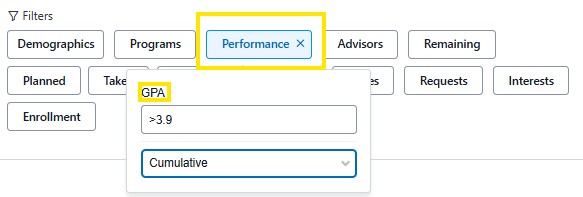
When using this search filter use < or > to determine the range you are looking for, then select the GPA criteria from the drop down menu. You can also enter in a specific GPA figure.
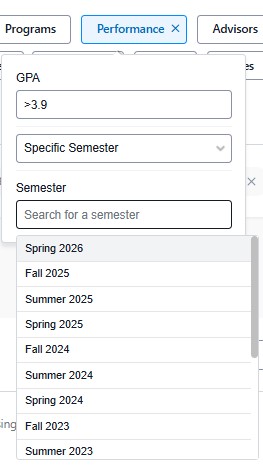
Specific Semester: Enter in a specific GPA number or enter in a range, then select the specific semester.
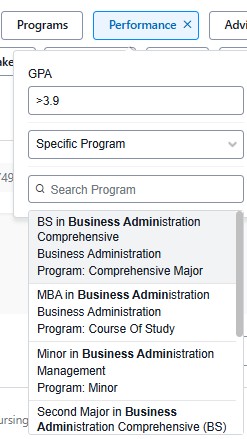
Specific Program: Enter in a specific GPA number or enter in a range, then type in the program. When you start typing a populated list will appear with choices of programs.
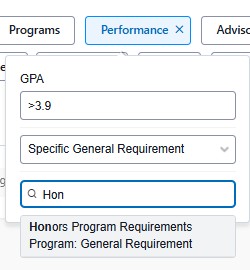
Specific General Requirement: Enter in a specific GPA number or enter in a range, then type in the general requirement. When you start typing a populated list will appear with choices of general requirements.
 Specific Requirement: Enter in a specific GPA number or enter in a range, then type in a program, audit version (catalog year) then enter the requirement. When you start typing a populated list will appear with choices of specific requirements.