

The Interests filter lets advisors browse interests of their advisees. Interests in the student profile are provided by the student. Interests are often related to the student's program area. Advisors that view this information find it useful in directing their advisee in course and program choices.
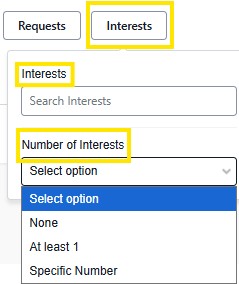
By clicking on the Interest filter button, you can type in terms into the Search Interests. Or, select At least 1, in the Number of Interest option. The returning list will provide students with at least one or more interest terms.
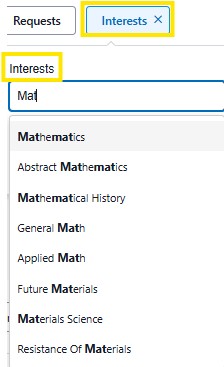
When typing terms into the Interests search, a populated list will appear with possible options.
Tip: A great way browse an advisors group of students is to use the Advisor filter in combination with the Interests filter.





